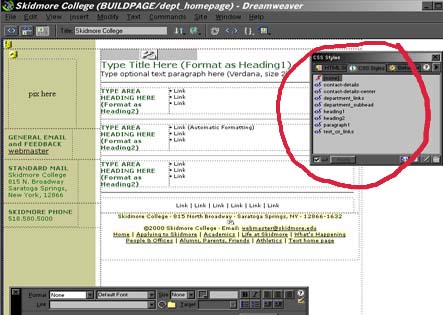
Once you have replaced or added text to your home
page, select the text with your mouse and choose
an appropriate css style by clicking on the style
in the css style window. Please remember to always
use one of these style when working on a Skidmore
Web page
For example:
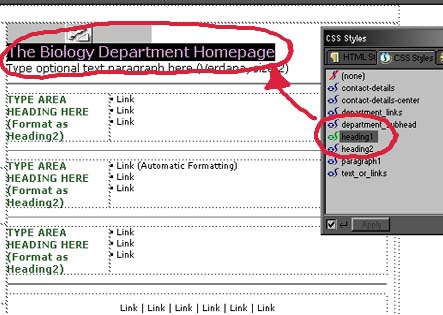
Select the text "Type Title Here (Format
as Heading1)" and replace it with your title.
Once you have typed your title, select that text
and click on "heading1" in the css styles
window.
Your title has now been changed to the heading1
format.
Continue to change all of your sections and
headings to your titles and click on the appropriate
css styles.
You may have to locate the file containing the
css styles if they do not appear in your CSS
styles window. To do so, open the CSS styles
windows and click on the right arrow icon in
the upper right hand corner. In this window,
click "edit style sheet" and then
click on the link button. Locate the file "style.css"
on the Skidmore server under the directory www/templates/style_sheets.
Now proceed to applying the styles.
Creative Thought Matters.
Skidmore College · 815 North Broadway · Saratoga Springs, NY · 12866