Image
Alignment and Text (Sec. 3.2)
Once an image has been imported into Dreamweaver, there
are image properties that determine how it will line
up with neighboring text. Amateurs will often become
frustrated, because they can't get a body of text to
line up with an image the way they desire. To set the
image alignment properties, click window > properties
and select the image by clicking on it once. Now click
on the box next to "align" and a whole series
of options come up, but there are only two general categories.
The text can be either ...
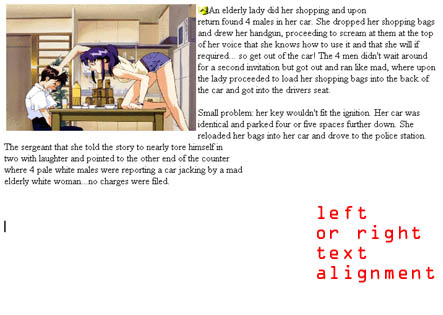
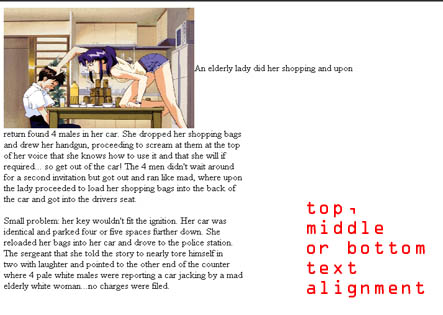
The left or right alignment formats wrapthe written
text around the image, while the top/middle/bottom text
alignment place a single line of text next to the picture.
Depending on the placement of your pictures in the page,
you will need to decide on one of these two formats.
Experiment with all the alignment types to see what
works best. |